Need to create raffle tickets for a fundraiser, school event, church raffle, corporate giveaway, or charity auction? The good news is you don’t need expensive software or graphic design skills.
Whether you want DIY raffle tickets, need to create raffle tickets in Word, or prefer professionally printed tickets, there is a solution for every budget.
In this guide, you’ll learn how to make raffle tickets using four proven methods, discover free templates, and get expert design tips to create professional-looking tickets that boost participation and simplify prize management.
Why Well-Designed Raffle Tickets Matter
Many organizers focus only on selling tickets, but the ticket itself plays a much bigger role.
A professionally designed raffle ticket helps:
- Build trust with participants
- Make your event look more professional
- Keep entries organized
- Prevent duplicate ticket numbers
- Improve your brand recognition
- Speed up winner selection
Whether you’re organizing a small community raffle or a large fundraising campaign, a clear ticket design creates a better experience for everyone involved.
Information Every Raffle Ticket Should Include
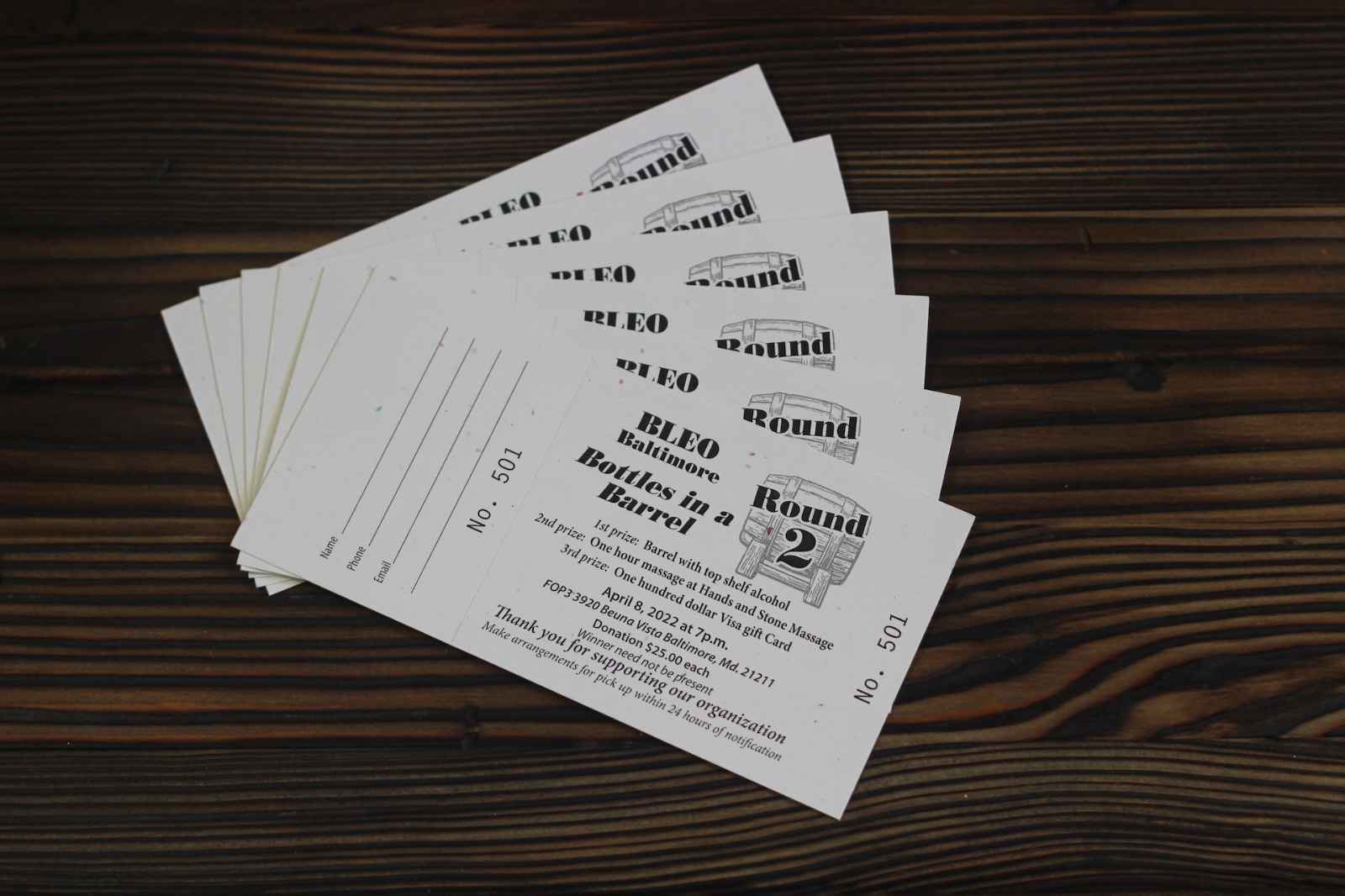
Before you create raffle tickets, make sure every ticket contains:
- Event or organization name
- Ticket number
- Prize information
- Date and time of the drawing
- Drawing location
- Organizer contact details
- Terms and conditions
- License or permit number (where legally required)
- Age restrictions (if applicable)
Including these details helps keep your raffle organized and compliant with local regulations.
1. DIY Raffle Tickets
If you’re wondering how to make a raffle ticket without special software, a simple DIY approach works perfectly for small events.
What You’ll Need
- Cardstock or heavy printer paper
- Scissors or paper cutter
- Ruler
- Pens or markers
- Number stamps or numbered stickers
- Home printer (optional)
How to Make DIY Raffle Tickets
- Decide on your ticket size.
- Add your event information.
- Leave space for participant details if needed.
- Number every ticket individually.
- Cut the tickets evenly.
- Keep matching ticket stubs for the drawing.
Pro Tips
- Use bold fonts for readability.
- Choose high-contrast colors.
- Leave enough space for handwriting.
- Print on thicker cardstock for a premium feel.
DIY raffle tickets are ideal for:
- Family events
- School activities
- Church raffles
- Community fundraisers
- Office parties
2. Create Raffle Tickets Using Online Design Tools
Online ticket makers make the design process much easier.
Instead of starting from scratch, you can customize ready-made templates in just a few minutes.
Many online platforms allow you to:
- Add your logo
- Upload images
- Change colors
- Insert QR codes
- Add sequential numbering
- Download print-ready files
This option is perfect if you want professional results without hiring a designer.
Why Use Online Ticket Makers?
Benefits include:
- Beginner-friendly interface
- Fast customization
- Professional layouts
- Automatic ticket numbering
- Print-ready designs
- Time-saving workflow
If you’re creating tickets for a charity event or fundraiser, online tools are often the fastest solution.
3. How to Create Raffle Tickets in Word
One of the most searched questions is how to create raffle tickets in Word.
Microsoft Word makes it surprisingly easy to design simple raffle tickets.
Steps to Create Raffle Tickets in Word
Step 1
Open Microsoft Word.
Step 2
Search for ticket templates or create a custom layout.
Step 3
Insert:
- Event name
- Logo
- Ticket number
- Drawing details
- Prize information
Step 4
Duplicate the design across the page.
Step 5
Print on perforated ticket paper or cardstock.
Step 6
Use Mail Merge with Excel if you need automatic numbering.
Word is one of the easiest ways to make printable raffle tickets for schools, nonprofits, and local organizations.
Printable Raffle Ticket Template Word
Looking for a printable raffle ticket template Word users can customize?
A good template should include:
- Editable text
- Numbered ticket section
- Matching ticket stub
- Space for participant information
- Print-ready margins
Using templates saves hours of design work while ensuring every ticket looks consistent.
4. Professional Raffle Ticket Printing
If you’re planning a large fundraising event, professional printing offers the best results.
Instead of printing hundreds of tickets yourself, let professionals handle the production.
Benefits
- Premium cardstock
- Sharp color printing
- Sequential numbering
- Barcode printing
- QR code support
- Double-sided printing
- Perforated ticket stubs
- Bulk discounts
Professional printing is recommended when selling hundreds or thousands of raffle tickets.
Creating a Raffle for Maximum Success
Creating a raffle involves more than printing tickets.
A successful raffle also requires careful planning.
Choose Attractive Prizes
Offer prizes your audience actually wants.
Popular choices include:
- Gift baskets
- Electronics
- Vacation packages
- Restaurant gift cards
- Cash prizes
- Local business vouchers
Promote Your Event
Use multiple marketing channels including:
- Email newsletters
- Community bulletin boards
- Local businesses
- School newsletters
More visibility means more ticket sales.
How to Make List for Raffle
Keeping participant information organized is essential.
If you’re wondering how to make list for raffle, create a spreadsheet with:
| Ticket Number | Name | Phone | Payment Status | |
| 001 | John Smith | 555-1234 | john@email.com | Paid |
This makes winner selection much easier and helps avoid duplicate entries.
Tips to Make Better Raffle Tickets
Before printing, keep these best practices in mind.
Use Sequential Numbers
Every ticket should have a unique number.
Keep Branding Consistent
Use your organization’s logo and colors.
Use High-Quality Paper
Thicker paper feels more professional.
Add QR Codes
QR codes make check-in and verification faster.
Keep Text Readable
Avoid decorative fonts that are difficult to read.
Include Terms and Conditions
Always explain eligibility, drawing rules, and prize information.
Common Mistakes to Avoid
Many organizers make these avoidable mistakes:
- Forgetting ticket numbers
- Using poor-quality paper
- Missing contact information
- Overcrowding the design
- Printing without proofreading
- Ignoring local raffle regulations
Avoiding these issues helps create a more professional event.
Frequently Asked Questions
How do I make raffle tickets at home?
You can make raffle tickets using Microsoft Word, Canva, Google Docs, or printable templates. Print them on cardstock and add sequential numbering.
How do I create raffle tickets in Word?
Use Microsoft Word templates or create a custom table layout. Add your event information and use Mail Merge with Excel for automatic numbering.
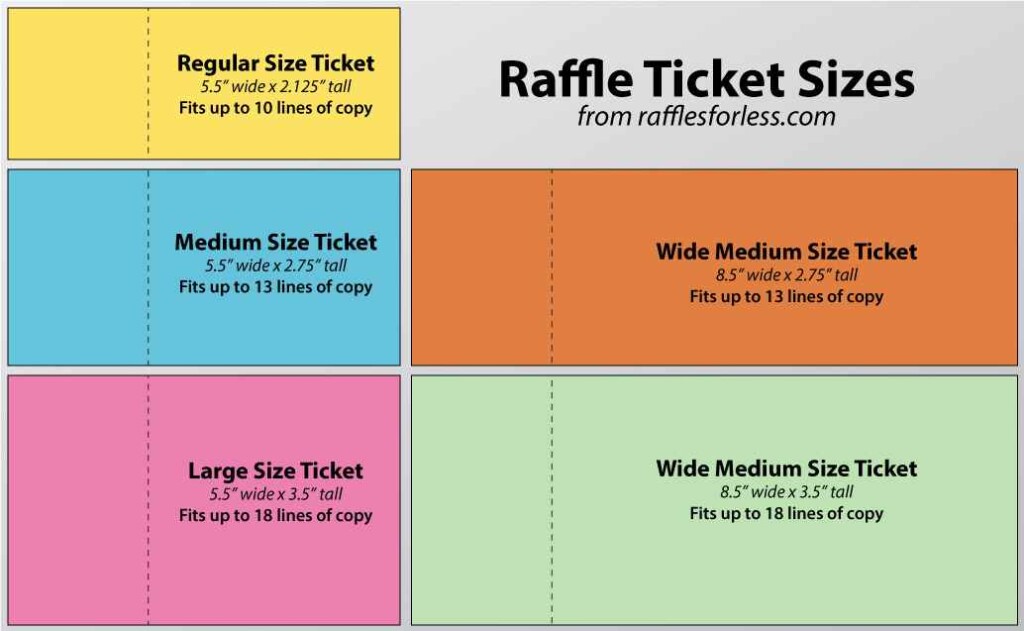
What is the standard raffle ticket size?
Common sizes include:
- 2″ × 5.5″
- 2.125″ × 5.5″
- 3″ × 6″
Choose a size that fits your printing method and event requirements.
Can I print raffle tickets myself?
Yes. Many organizers print tickets using a home printer and cardstock. For larger events, professional printing provides better quality and saves time.
Are printable raffle ticket templates free?
Yes. Many editable templates are available for Microsoft Word, Canva, and PDF formats. They can be customized with your logo, colors, and event details.
Final Thoughts
Learning how to make raffle tickets doesn’t have to be complicated. Whether you choose DIY raffle tickets, decide to create raffle tickets in Word, download a printable raffle ticket template Word, or invest in professional printing, the right approach depends on your event size and budget.
The key is to create tickets that are easy to read, professionally designed, and properly numbered. A polished raffle ticket builds trust, improves organization, and helps maximize ticket sales.
Ready to get started? Choose your preferred method, customize your design, and create raffle tickets that make your next fundraiser or giveaway a success.